
- Posted on
- • Binge-Watch Tips
How to Avoid Eye Strain During a Late-Night Streaming Marathon (Without Stopping the Fun)
- Author
-
-

- User
- admin
- Posts by this author
- Posts by this author
-
There's a specific kind of shame that hits around 3 AM when you're still on episode seven of something you told yourself you'd only watch one episode of. Your eyes are burning. The room is pitch black except for that glowing rectangle in your face. And somehow, you're still pressing play.
I've been there more times than I'd like to admit. And for a while, I brushed off the headaches and blurry mornings as just the cost of being a serious watcher. But lately, the eye strain after a late-night streaming session has been getting worse, like, genuinely uncomfortable, and I finally started paying attention to what I was actually doing to myself during these marathons.
So here's what I've figured out, from someone who watches way too much TV and has very reluctantly started taking care of her eyes.
The Problem with "Just One More Episode"
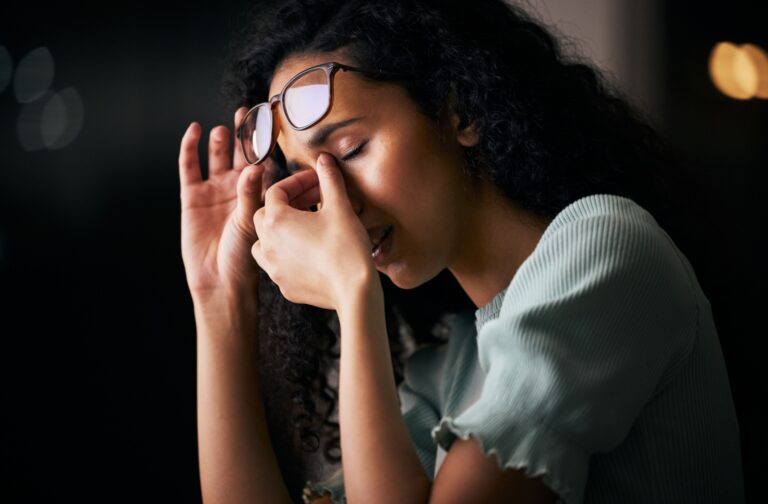
Digital eye strain is one of those things nobody really talks about in streaming culture, even though basically everyone who watches TV regularly has felt it. It's that dry, tight, slightly aching feeling behind your eyes after a long session. Sometimes it comes with a dull headache. Sometimes your vision goes a little soft and you have to blink a few times before it clears. For me, it usually hits around episode four or five, which is exactly when things in the show are getting good and I absolutely do not want to stop.
The thing is, when we're deeply invested in a story, we forget to blink. That sounds almost too simple to be a real problem, but it is. Normally, humans blink around 15 to 20 times a minute. Staring at a screen, especially during a tense scene where you're barely breathing, let alone blinking, drops that rate significantly. Less blinking means less moisture on the surface of the eye. Add a dark room and a bright screen, and your eyes are basically working overtime with no relief.
I didn't fully understand how much of this was within my control until I actually started making a few small changes. And honestly, the difference has been kind of embarrassing, because it wasn't complicated at all.
The Fixes That Actually Helped Me
The first thing I changed was my screen brightness. I was the kind of person who kept their TV or laptop at max brightness regardless of the time of day, which, looking back, makes no sense. Your screen brightness should roughly match the ambient light around you. At night, in a dark room, a blinding screen is asking your eyes to constantly recalibrate. Most streaming devices and smart TVs now have an auto-brightness setting; I finally turned mine on and the difference was immediately noticeable. Softer on the eyes, still completely clear and watchable. Easy fix.
The second thing was the 20-20-20 rule, which I'd heard about before but always dismissed as something for people who work at computers all day. Turns out, it applies just as much to marathon streaming. Every 20 minutes, look at something 20 feet away for at least 20 seconds. This gives your eye muscles a chance to relax, they're continuously focused on a close-up screen, and that sustained effort builds up tension over time. I set a quiet timer on my phone for this. Did it break my immersion a little? Slightly. Did my eyes feel significantly better by the end of the night? Yes, actually.
Room lighting was the change I resisted the most, because I'm very attached to watching in complete darkness, it feels more cinematic. But watching TV in a completely dark room creates huge contrast between the bright screen and the dark surroundings, and your eyes are constantly trying to adjust between those two extremes. Adding a dim, warm light source behind or beside the TV, nothing dramatic, just enough to take the edge off the contrast, helps a lot. I use a small lamp with a warm bulb on the other side of the room now. It feels a little less like a movie theater, but my eyes aren't destroyed by midnight.
And then there's hydration, which feels almost too mundane to mention but genuinely matters. Dry eyes during long sessions are partly about blinking less, but also partly about being dehydrated. I started keeping a glass of water next to me during marathon nights instead of just snacks, and it helps. Not magic, but real.
What I Actually Track Now
One thing that changed my habits more than anything else was getting honest with myself about how long I'm actually watching. It's very easy to lose track. You think you've been watching for two hours and it's been four. Your brain is in the story; time is abstract.
I started using a Marathon Tracker Tool to log my sessions and track total watch duration. Seeing the actual numbers, like, "you watched six hours last night", is a little confronting in a useful way. It helps me set a rough limit before I start, instead of going in with the vague intention of "stopping soon." Managing your streaming schedule and being aware of how much time you're logging isn't about being restrictive; it's just about going into it consciously instead of blacking out and waking up at 4 AM with red eyes.
The Honest Takeaway
I'm not going to tell you to stop watching late at night, because that advice is useless and also I don't follow it. But there's a real difference between marathoning a show in a way that wrecks you and doing it in a way that's actually enjoyable and sustainable. The adjustments I've made are small enough that they don't break the experience, they just make the next morning less miserable.
Dim screen at night. 20-20-20 rule. Soft ambient light in the room. A glass of water. And knowing, going in, how many hours you're actually planning to be there.
Your eyes are going to be with you for the rest of your life. The show will still be there tomorrow. And if you genuinely can't stop, at least make the conditions a little kinder to yourself while you're in it.
Personal Final Review: This is one of those topics that sounds boring until you've had a week of tired, dry eyes and finally Googled what's happening. The practical advice here is genuinely useful, especially the screen brightness and 20-20-20 rule, both are so simple and so underrated. What makes it land is how obvious the fixes are once you actually try them. Worth knowing, worth doing.
Rating: 4/5 Simple, practical, and actually useful, not groundbreaking, but exactly the kind of information that helps if you watch a lot of TV and have never thought about this before.